How do I ask about accessibility needs and prepare the party space?
Quick answer: Send every family the same short, private message. Describe the party you have in mind: where it is, how long it lasts, the activities and the food. Then ask what would help their child take part. You don't need a diagnosis, only the arrangements to make. Next, check the actual space against what families tell you. That means the route from parking, the entrance, doorways, the bathroom, tables, lighting, game cues and instructions. Tell each family which arrangements are confirmed and which are still uncertain, and check the setup again on party day.
How to ask families what their child needs
Start with the families. Families can tell you what helps their child take part; a venue description or your own guesses can't. Tell each family what you are planning: the venue or home, the activities, the food and how long the party lasts. Then ask what would help their child join in, including food, access and communication needs. Include the child in the conversation where appropriate.
Send the same first questions to every family, then ask follow-up questions about each reply. Don't guess who needs an accommodation from how a child looks or from what another parent says.
Is it rude to ask a parent directly what their child needs?
Quick answer: No. A short question about what helps their child take part gives the family a chance to explain.
Tell them what you plan to do at the party and ask what to arrange. Don't ask them to describe the child's medical history. If the activities or location change later, check back with them.
How much personal information should I ask for?
Quick answer: Only what you need to arrange for the party.
A parent can describe a change to food, seating or an activity without giving you a diagnosis. If a reply isn't clear, explain which arrangement you are trying to confirm. Keep individual answers to yourself and the helpers who need them.
Keep confirmed arrangements in your own host notes, separate from messages you send to all families. Each helper gets only the details they need for their job. Our parent communication checklist shows which details belong in private notes and which belong in updates to families.
Is a text okay, or do I need a form?
Quick answer: A private text is enough if you can keep track of the replies.
A form can help with a larger guest list, but check that other families can't see individual answers. Offer a phone call to anyone who would rather talk.
What if a parent sends an update after the reply date?
Quick answer: Thank them for it and check what you can still change.
The reply date helps you prepare, but it doesn't mean you can ignore a late message. Before they arrive, tell the family which arrangements are confirmed and which are still uncertain.
Check the venue route, bathroom and tables
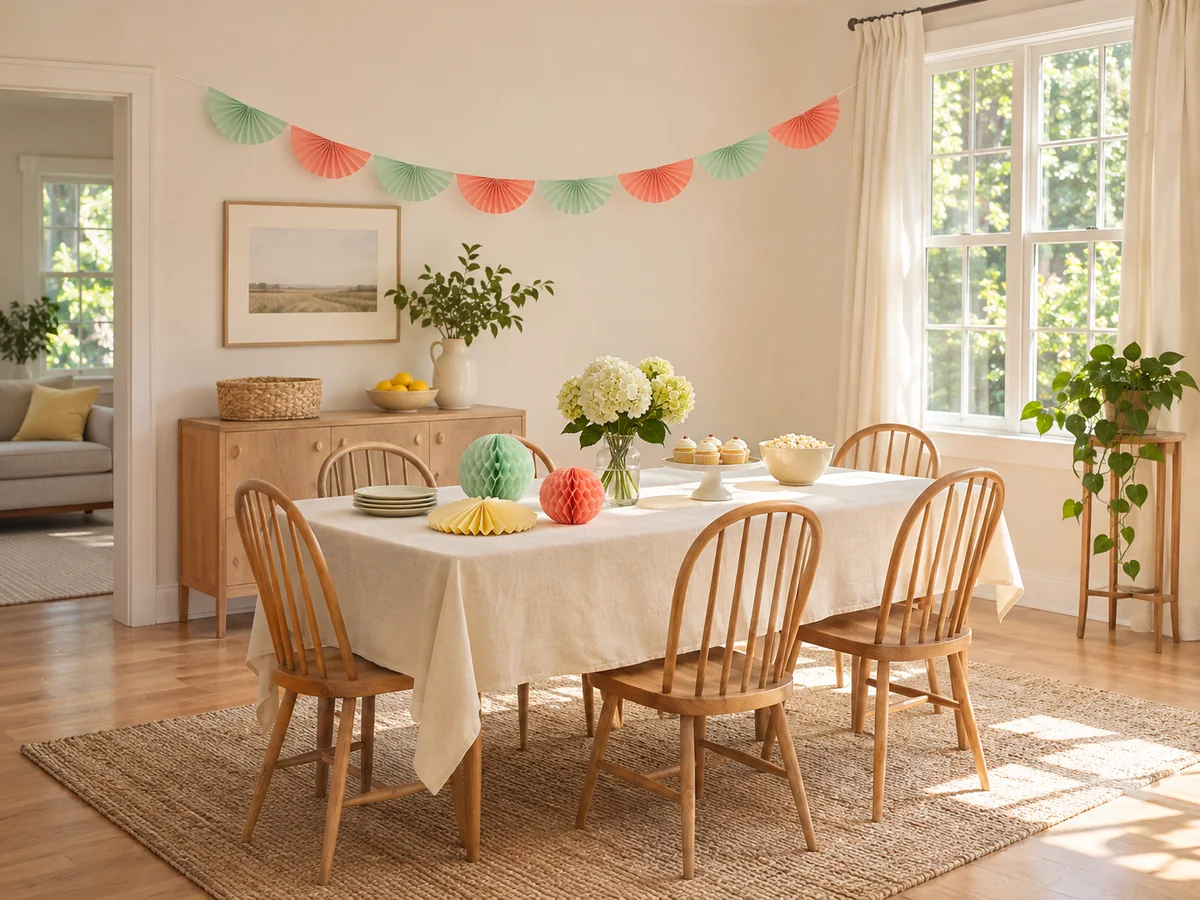
A bright, open party room can still have a step at the entrance, a tight bathroom doorway or a table a guest can't pull up to. Before you book, check the whole route the guest will use, not just the room in the photos. That route runs from parking or drop-off to the entrance, then on to the party room, food area and bathroom. It also includes any outdoor space and the indoor alternative you would use if it rains.
When a venue says it is accessible, treat that as a starting answer. Follow up with questions about steps, measurements and the route between spaces. Ask which entrance, room and bathroom your booking includes, and whether they will stay available for the whole booking. Ask for photos or a visit to check anything staff can't describe clearly, and keep their answers with the quote and terms.
Ask to see the actual tables rather than relying on a standard height, and check the clear space underneath. Table legs, crossbars, width and depth can stop a wheelchair from pulling in. Check the layout with chairs in use, and agree where coats, gifts and supplies will go so they don't block the route. Make sure the guest can sit at the table with friends, not in a separate spot beside the group.
Take a written list when you call or visit so nothing gets missed. Our wheelchair-accessible venue checklist includes asking to check the actual tables, and it covers the route and bathroom too. Compare the answers with what this guest needs; measurements alone don't confirm that the space works.
- Parking or drop-off: where it is, how far from the entrance, whether the route is covered
- Steps, raised thresholds and changes of level along the whole route
- Clear doorway width (the space to pass through with the door open) and narrow passages
- Corners and space to turn, including between occupied tables and chairs
- Any existing ramp: its dimensions, surface and whether it is available during your booking
- Doors, gates and any lift needed on the route, at arrival and at departure
- Flooring such as thick carpet, gravel, brick, patio or lawn
- Table height, clear space underneath, and where food and game supplies will sit
How wide does a doorway need to be?
Quick answer: The original Party Whammy checklist uses 32 inches of clear doorway width and 36 inches for pathways as starting measurements. They don't guarantee a fit.
Record these measurements alongside the guest's own requirements. Thresholds, turning space and the floor surface can still affect whether a route works. The same checklist mentions tabletops around 28 to 30 inches high. Treat that as a detail to compare with what the guest needs, not as a target.
Do I need to check the bathroom separately?
Quick answer: Yes. Check the route to it, the clear doorway width, the space to turn and close the door, the fixtures and any support the guest needs.
A listed accessible bathroom or a photo of a grab bar doesn't show whether the whole room meets this guest's needs. Confirm whether the bathroom is shared, locked or reached through another room, and that it stays available throughout the booking. If it doesn't work, ask about another bathroom and check its route too.
Once you've confirmed a bathroom suits this guest, keep it stocked, signposted and reachable for the whole party. That's a separate job from checking accessibility. Our guide to providing bathroom access for a party covers stocking, plus checks such as making sure guests can open, close and lock the door.
How early should I confirm access?
Quick answer: Confirm the essential details before you pay a deposit, and recheck the setup on party day.
An example timeline starts two weeks before the party. That leaves time to revisit arrangements, but start earlier if the venue has to be booked further ahead.
Plan how you'll give instructions and game cues
Access also covers how guests find out what's happening. A step-free route doesn't tell you whether a guest can follow instructions, see the start signal or tell the teams apart. Use more than one way to share important information. For example, give spoken instructions along with a demonstration or a posted schedule. Ask each family what works for their child: a sound cue may help one guest, while another needs a visual one.
If a family says their child does better knowing what comes next, picture cards may help. Our visual party schedule for a child who needs predictability explains setting one up and handling changes: explain what's changing, swap or cross out the card where the child can see, and point to what's next. It won't suit every guest.
Do I need to hire an interpreter for a kids' birthday party?
Quick answer: Ask the family whether their child needs an interpreter and who will arrange one.
The number of deaf or hard-of-hearing guests doesn't tell you what support an individual child needs. Good seating and visual game cues are useful, but they don't replace support the family has asked for.
How do I start games without shouting "go"?
Quick answer: Use the start signal you agreed on with families, such as a raised hand or a START card. Show it to all the players and do a practice turn first.
Make sure everyone can see the signal from where they will play, and show the stop signal at the same time. Agree with the family whether to pause background music for instructions or lower it for conversation. Tell whoever controls the speaker about these arrangements too.
What if the guest reads lips but the party is outdoors in bright sun?
Quick answer: Check the seating and the speaker's position at the time of day the party will happen.
Try a position where the speaker's face is well lit but the sun isn't in the guest's eyes. Ask whether it works for them, and check again if you move indoors.
Should someone guide a guest with a visual impairment throughout the party?
Quick answer: Ask the guest and family what they want, offer that help, and make sure someone is available if they ask for it.
A room tour and keeping the furniture in the same place are helpful. They don't mean a guest will want or be able to move around without assistance.
Ask the guest and family what help they want, offer that, and make sure someone is available if they ask for it. Our birthday party plan for guests with visual impairments covers this, along with activity ideas to agree with the family.
Make sure colors aren't the only way to follow a game
If teams, hunt items or directions depend on color alone, some guests may not be able to follow them. Ask the guest or caregiver which colors they can tell apart in your setup. Then mark teams and items with names, shapes or patterns as well. Check hunt pieces against the surface where you will place them.
Do I have to redo my whole party theme?
Quick answer: No. Keep the colors you like and add labels only where a color gives an instruction.
Add a name, shape, number or pattern wherever a color tells guests which team to join, what to collect or where to go. Decorations that don't give instructions can stay as they are.
What if the children can't read the labels?
Quick answer: Pair the words with clear pictures or symbols, and show what they mean.
For example, show children the star on a wristband and the matching star at the team's starting point. Read hunt clues aloud when needed.
Clear labels remove one barrier, but you also need to check the game's actions and supplies. Put cards, targets and supplies within each player's preferred reach, and try the equipment beforehand. Our guide on how to adapt party games for different abilities covers changes to rules and setup.
Ask about everyone on the guest list
One change rarely suits everyone. A visual signal that helps one guest may be no use to another, and a color-blind guest may also have food, access or communication needs. Ask every family about their own child's needs. Then check lighting, cues and game instructions for the people who are actually coming. Discuss color-coded instructions and pets in the same planning conversation.
What to do if the venue or home doesn't work
When you contact the venue, name the specific problem. "The bathroom doorway is narrower than the guest needs" is more useful than "we have an accessibility concern." Ask whether another entrance, room or existing arrangement solves it. Check any proposed change with the guest or family before you rely on it.
If the venue suggests a portable ramp, ask for the details and who will provide it and set it up. Don't improvise a ramp as a last-minute fix. Have another venue in mind while you check the first one.
What if we have already booked an unsuitable venue?
Quick answer: Ask the venue about another entrance, room or existing access arrangement, and check any change with the family.
If that doesn't solve the problem, check the change and cancellation terms and talk to the family about moving the party early. Explain what is still unresolved and when you will confirm the new arrangements.
Would a backyard party be easier?
Quick answer: That depends on the actual space.
Check the route into the yard, the ground surface, the table arrangement and bathroom access, just as you would at a venue. You can control the layout at home, but that doesn't fix an unsuitable entrance or route.
Example: a two-week plan for one party
This is an illustrative example, not a fixed schedule. Say you are planning an afternoon party at a hired room. You send all families the same private text describing the room, a team scavenger hunt and the party length. One parent replies that their child uses a wheelchair. Another says their child is hard of hearing and reads lips. A third mentions color blindness.
In this example, talk with the wheelchair user's family about the hunt. If the route won't work, they may prefer an adapted hunt or a seated game the whole group plays. Our mobility-friendly party games and setup guide has seated options and route checks you can discuss with them.
Confirm the essential access details before you pay the deposit. If the venue needs to be booked further ahead, start earlier than the plan below.
| When | What you do |
|---|---|
| Fourteen days before | Call the venue with the requirements families described. Ask about parking, the entrance, pathways, the bathroom and tables. Arrange a visit and note another venue in case this one doesn't work. |
| Ten days before | Visit the booked spaces. Measure the tight spots and look at the actual tables and bathroom. Check where the speaker will stand for the lip-reading guest. Share the details with the families. |
| Seven days before | Get the venue's agreed changes in writing. Add shapes or names to the hunt teams, and agree a START card and stop signal. Tell each family what is confirmed and what is still uncertain. |
| Party day, before guests arrive | Check the agreed entrance, bathroom and tables again. Make sure bags and decorations aren't blocking the route. Tell the arrival helper and the person running the music what you've agreed. |
Final checklist before party day
- Send every family the same private question, and follow up on each reply
- Ask only what you need to arrange; no diagnosis needed
- Check the full route, bathroom, flooring and tables against what the guest needs
- Agree on communication support, start and stop signals, music and seating with each family
- Add names, shapes or patterns wherever a color gives an instruction
- Tell families what is confirmed and what is still uncertain, including after late updates
- Brief helpers, then check the setup again before guests arrive